More than just a digital diary widget. The cutest safe place your workspace has ever seen.
Introducing Kourie: an aesthetic Notion widget that matches your setup.
Even a digital journal can be organized and display your own tastes.
·········ᰔ·········
What does a digital diary widget do?
Kourie is a Notion journal widget that sits in your workspace and replaces a mountain of added pages cluttering up your sidebar.
Kourie Notion diary widget gives you a private place to spill your heart out while keeping your digital space clean.
Kourie replaces the routine, tedious setup keeping a Notion journal requires with ease, customization, and functionality.
·········ᰔ·········
Kourie Notion Widget Features:
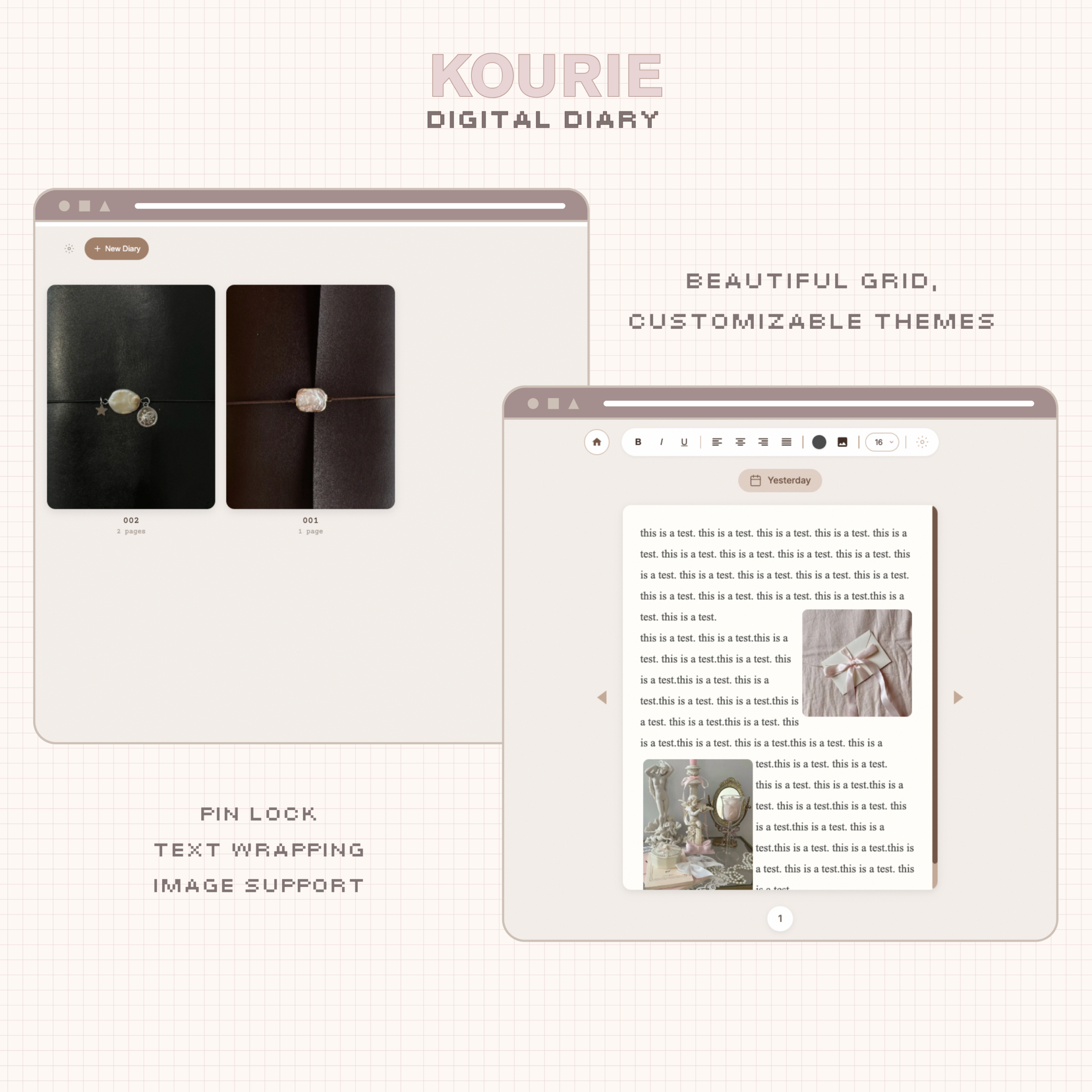
⌗ A gorgeous grid display for diary covers.
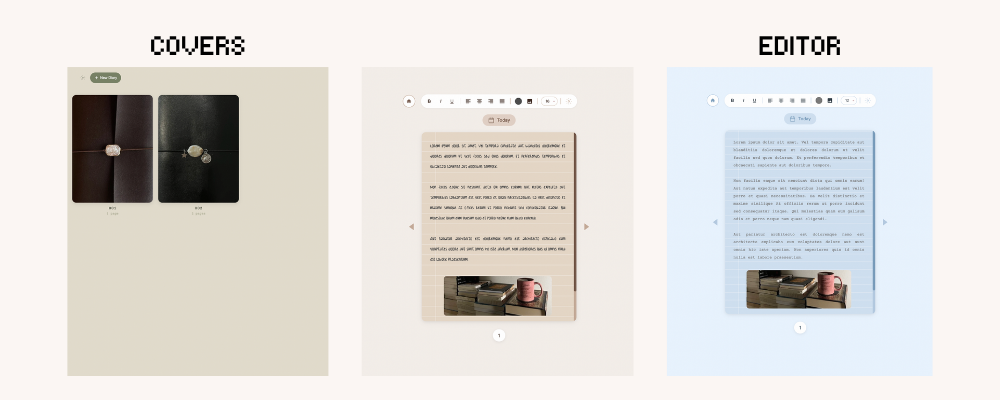
⌗ Multiple paper styles : solid / lined / square grid / dotted.
↳ With 7 Line color options per each theme.
⌗ Text style in toolbar. *NEW FEATURE
↳ Normal, H1, H2, and H3.
⌗ Add stickers. *NEW FEATURE
↳ Upload and drag anywhere over the diary. Select for 4-corner resize handles and a rotate button.
⌗ Subject line toggle. *NEW FEATURE
⌗ Journal categories. *NEW FEATURE
↳ 3 labels you name yourself, picked per journal when you create a new journal or edit an existing one.
⌗ Category embed links. *NEW FEATURE
↳ Additional embed showing only one category’s journals.
⌗ Transparent background and dark page toggles for embedding on a colored or dark Notion page. *NEW FEATURE
⌗ Journal cover inspiration link in settings. *NEW FEATURE
⌗ Upload custom diary covers from your gallery/library.
⌗ Edit label and cover at any time.
⌗ Add a pin to diaries for additional security.
⌗ 13 Beautiful, preinstalled themes. ( Light & Dark Options! )
⌗ 16 Fonts to choose from in editor page.
⌗ 6 App fonts to choose from.
⌗ Adjust font size in toolbar : 9px-18px.
⌗ Add photos to left, right, or center of an entry page with text wrapping added for a scrapbooking feel.
⌗ Resize uploaded photos and stickers. *NEW FEATURE
⌗ Cloud sync included. Your entries save automatically and stay with you on any device you use. Start an entry from your phone, pick it up on your tablet, finish it on your computer.
⌗ Export journals.
↳ Open the embed in browser to export your journals. Please note that exports do not include sticker images and categories.
·········ᰔ·········
What You Get.
⌗ Kourie Notion widget.
⌗ A file with instructions to obtain your sync code and embed links for your widget.
⌗ Thorough, comprehensive setup instructions for your Notion dashboard widget ( Includes video of step-by-step instructions included at time of purchase to ensure ease ).
⌗ Lifetime updates for your Notion widget.·········ᰔ·········
I created a Pinterest board with a collection of journal covers that you can use with this Notion diary widget. Since these images do not belong to me, I can’t and won’t distribute them directly through my site, but you can browse the board here anytime: https://pin.it/5y8gwSF1g
Thank you so much for supporting me! Have Questions?
FAQ: heonimoon.com/#faq
CONTACT: hello@heonimoon.com


Reviews
There are no reviews yet.