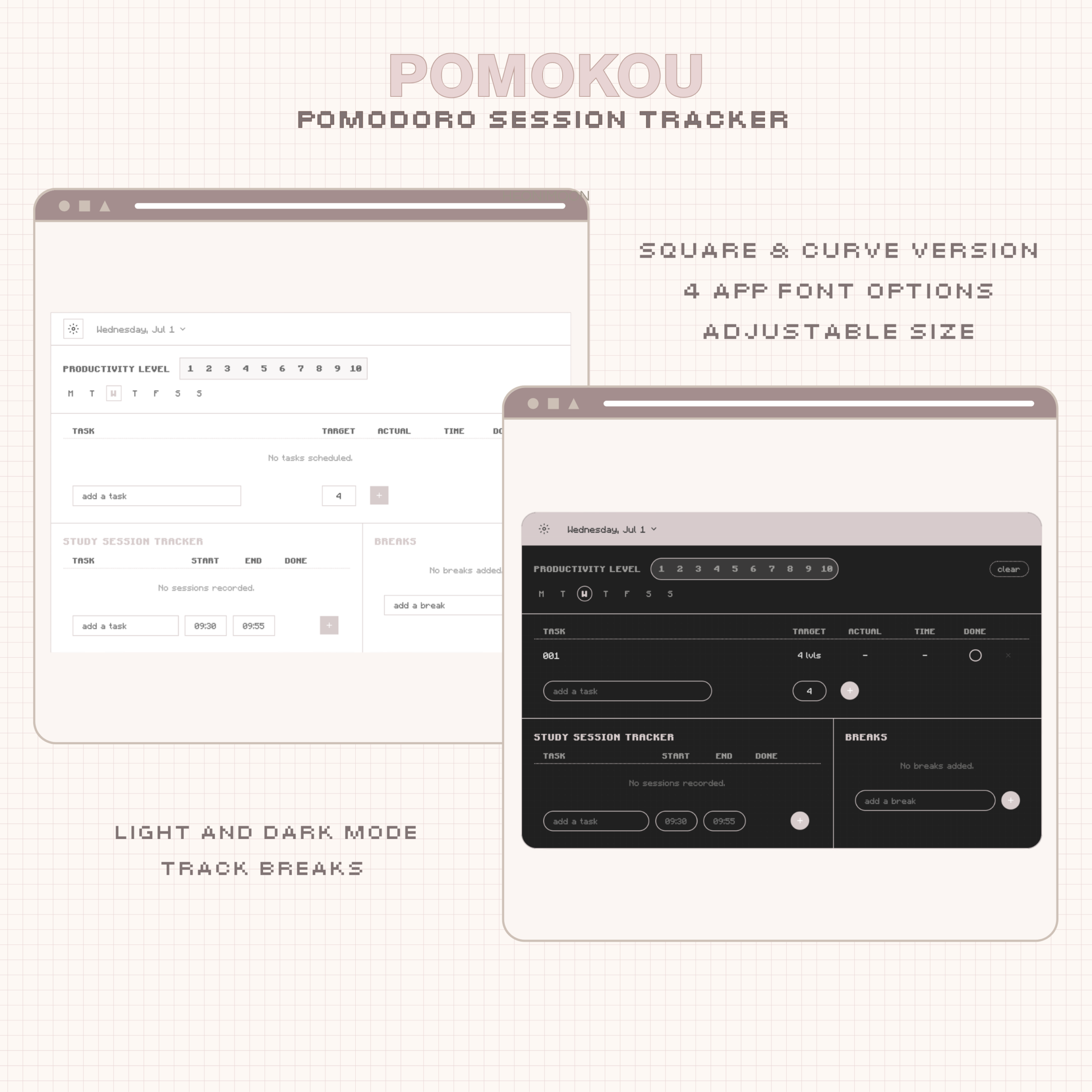
Your new favorite study session tracker.
Introducing Pomokou: an aesthetic Notion widget to track your study sessions alongside Koudoro.
Made with customization and the Pomodoro Technique in mind.
·········ᰔ·········
What does a study session tracker widget do?
Pomokou is a Notion study session tracker widget that works alongside your timer in your workspace.
Pomokou helps you keep track of all your study efforts. See where you excel and where you can improve your on-task focus. Designed to be used alongside Koudoro.
This is meant to let you keep a log of all your efforts across multiple days. Adjust your productivity level and track all your breaks.
At the end of the week, look back at all your progress and pat yourself on the back.
Pomokou makes studying in measured intervals easy, customizable, and functional. Adjust your colors, font, size, and get to work in one go.
·········ᰔ·········
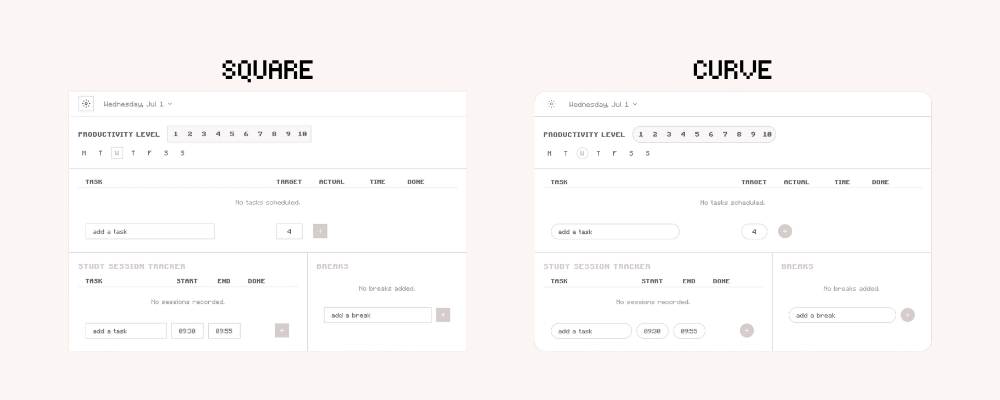
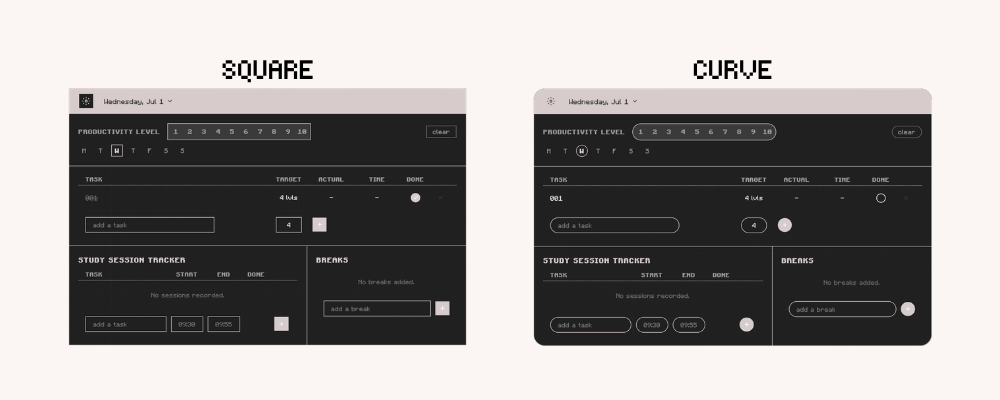
Pomokou Notion Widget Features:
⌗ Hex color wheel to change accent colors.
⌗ 6 App font options.
⌗ 7 Checkmark shape options.
⌗ Pomodoro task and interval tracker, break tracker, time logger.
⌗ Productivity level selector.
⌗ Adjust scaling of the widget.
⌗ Toggle grid and borders on/off.
⌗ Light, Dark, and System modes.
⌗ Curve or Square mode toggle.
⌗ Cloud sync included. Your entries save automatically and stay with you on any device you use.
⌗ Supports English, Japanese, Korean, and Spanish.
·········ᰔ·········
What You Get.
⌗ Pomokou Notion widget.
⌗ A file with instructions to obtain your sync code and embed links for your widget.
⌗ Thorough, comprehensive setup instructions for your Notion dashboard widget ( Includes video of step-by-step instructions included at time of purchase to ensure ease ).
⌗ Lifetime updates for your Notion widget.·········ᰔ·········
Thank you so much for supporting me! Have Questions?
FAQ: heonimoon.com/#faq
CONTACT: hello@heonimoon.com


Reviews
There are no reviews yet.