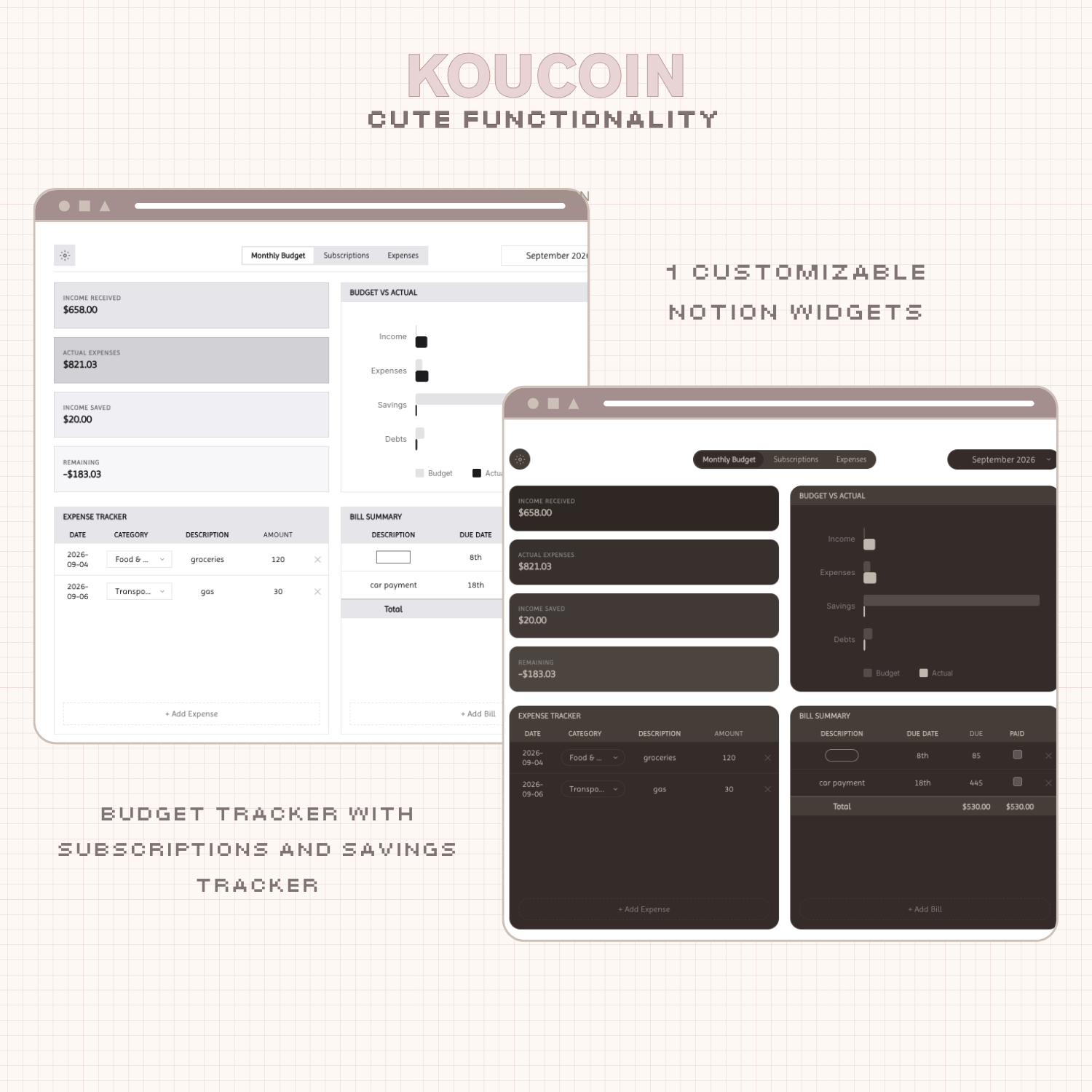
Managing your money has never been so sleek.
Introducing Koucoin: an aesthetic Notion widget that helps you measure and control your finances and your savings goals.
This Notion budget tracker widget was made to keep your finances from going past you.
·········ᰔ·········
What does Koucoin Notion widget do?
Koucoin is an aesthetic Notion widget that helps you manage your expenses, savings, and track your subscriptions.
Koucoin helps you see exactly what’s going in and out of your money right inside your Notion workspace.
A widget that matches your vibe.
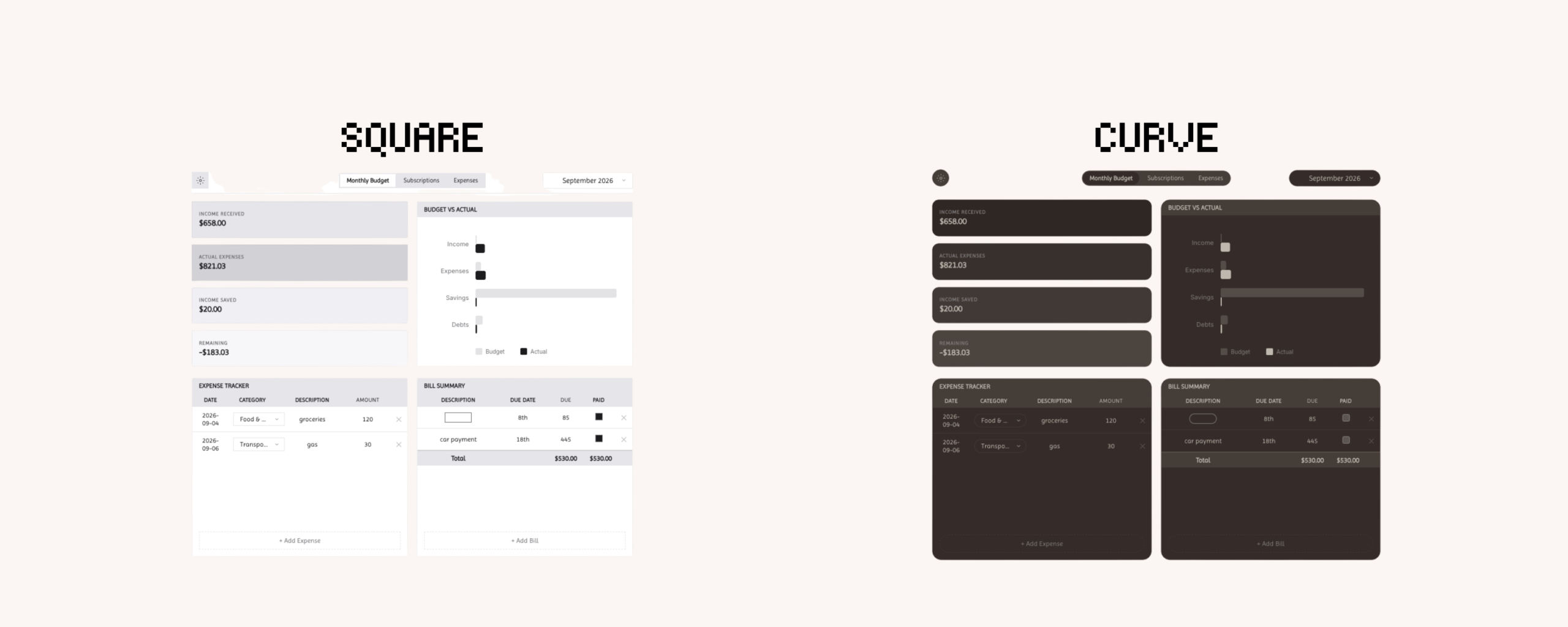
Pick from a selection of themes that match your style. Choose how you want your budget to display, inside a box or spread out across your personal page layout.
Koucoin is meant to be a guide on your path to intentional financial management.
·········ᰔ·········


Koucoin Notion Widget Features:
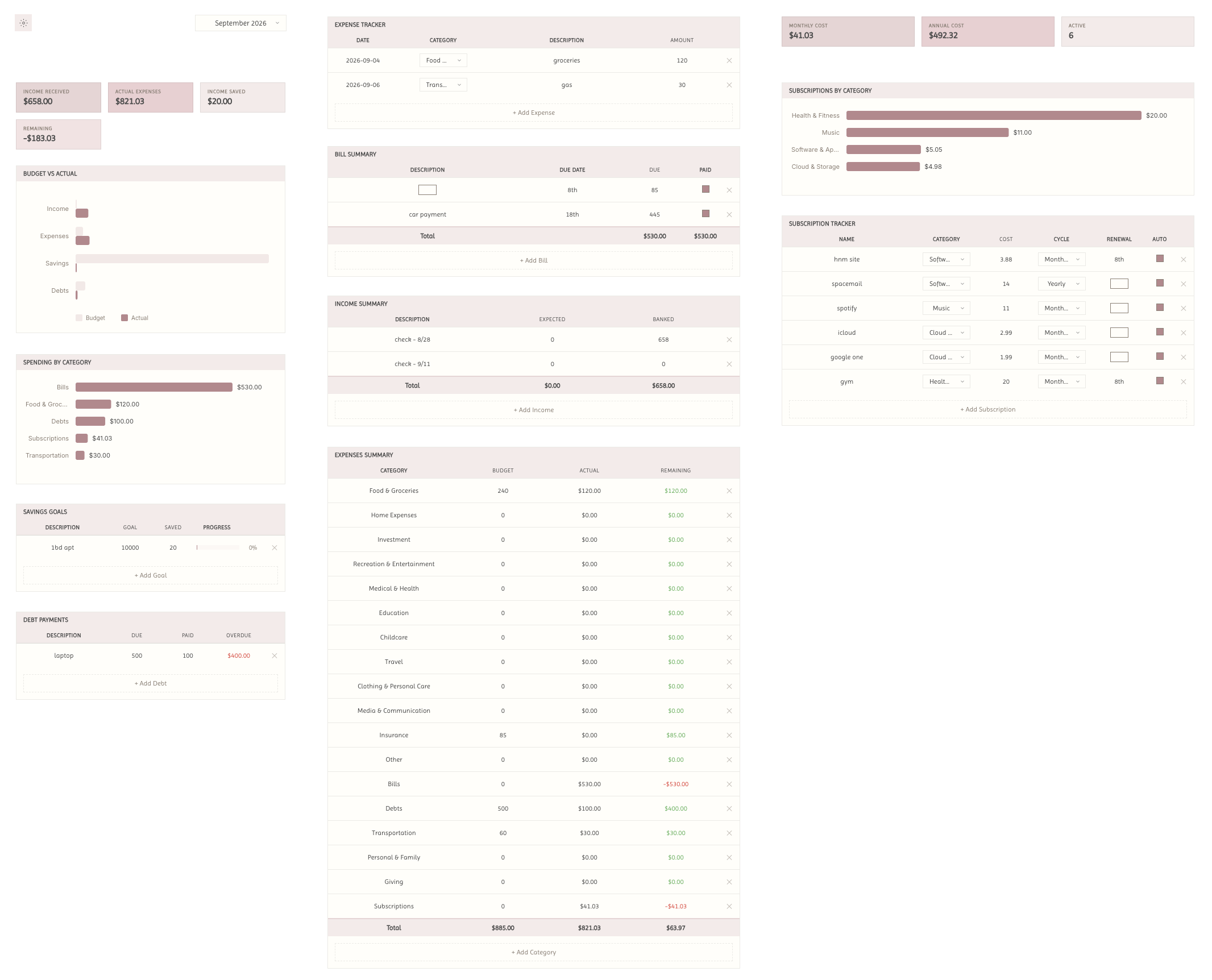
Monthly Budget Tracker Tab
⌗ 4 Summary cards at top : Income received, actual expenses, income saved, and remaining.
⌗ Budget vs. Actual bar chart.
⌗ Expense tracker log : Date, category, description, and amount.
⌗ Bill summary : Description, due date, due, and paid checkbox.
⌗ Income summary : Description, expected, and banked.
⌗ Savings goals : Description, goal, saved, and a progress bar that fills as you save.
⌗ Debt payments : Description, due, paid, and an overdue column that calculates and turns red when you’re behind.
Subscriptions tracker Tab
⌗ 3 Summary cards: Monthly cost, annual cost, and active count.
⌗ Subscriptions tracker : Name, category, cost, cycle, renewal day, and auto-renew checkbox.
⌗ 4 billing cycles : Monthly, yearly, weekly, quarterly, and yearly/weekly/quarterly costs are converted to a monthly figure automatically.
⌗ Categorize subscriptions and they show up in a chart that shows how much you’re spending across each recorded category.
⌗ Subscriptions automatically carry over to the next month unless manually removed.
Expenses Tab
⌗ Spending by category chart.
⌗ Expenses summary : Category, budget, actual, and remaining, with a totals row.
⌗ 18 integrated categories that can be edited. You can add your own custom categories as well.
⌗ Remaining will go green or red as an indicator automatically.
⌗ You only type your budget. The ‘actual’ column populates independently.
Notion Widget Embedding
⌗ You can embed the whole widget as 1 or, in the settings, you can copy an embed link per section ( 13 total ) and rearrange in any way you’d prefer. Either way, the widgets all share information. What you add will be the same on the full widget or the sectioned widget!
Koucoin Notion Widget Features
⌗ 6 Font options for display.
⌗ 5 currencies : GBP, USD, EUR, KRW, JPY ( More will be added. If you do not see your currency, please reach out to me and I’ll happily add it! )
⌗ 13 themes, light and dark.
⌗ Toggle grid on/off.
⌗ Toggle transparent background with ‘dark page’ toggle so it remains transparent in dark mode.
⌗ Curve or Square mode toggle.
⌗ Cloud sync included. Your entries save automatically and stay with you on any device you use.
⌗ Supports English, Japanese, Korean, and Spanish.
⌗ Reset categories and reset all data, if needed.
·········ᰔ·········
What You Get.
⌗ Koucoin Notion widget.
⌗ A file with instructions to obtain your sync code and embed links for your widget.
⌗ Thorough, comprehensive setup instructions for your Notion dashboard widget ( Includes video of step-by-step instructions included at time of purchase to ensure ease ).
⌗ Lifetime updates for your Notion widget.·········ᰔ·········
Thank you so much for supporting me! Have Questions?
FAQ: heonimoon.com/#faq
CONTACT: hello@heonimoon.com


Reviews
There are no reviews yet.